
Coordinate cross-team rollouts in Jira
Create work across dozens of teams, track progress, find blockers, and automatically follow up, all without maintaining another spreadsheet.
Jira tracks the tickets. Armada tracks the rollout.
- PaymentsPAY-421Done
- SearchSRCH-81Blocked
- IdentityID-231In progress
- CheckoutCHK-77Done
- NotificationsNTF-19Done
- BillingBIL-302Done
67% complete4 of 6 teams done
Search needs attention. Blocked, no update in 6 days
A critical patch needs to reach 40 teams. Creating 40 tickets is easy.
Tracking them is the hard part. Each team works in its own project, so the rollout ends up in a spreadsheet next to Jira, and the person running it spends the week asking:
- Who hasn't started yet?
- Who's blocked, and since when?
- Which teams haven't updated their ticket?
- Who needs another reminder?
- Will we make the deadline?
One rollout. Every team. One view.
Teams keep working in their normal Jira projects. Armada gives the person running the rollout the view and the follow-up that Jira does not.
Launch work across teams
Create every participating team's Jira issue in one action, in its own project, with the issue type that project accepts. Armada checks projects before launch and reports any team it could not reach.
Track every team from one place
See which teams are done, in progress, blocked or inactive, rolled up on the parent issue. No spreadsheet to keep in sync.
Follow up automatically
Remind teams whose issues have gone idle on a daily schedule, or nudge every pending team at once.
From one parent issue to every team done.
Define the teams
Map each team to its Jira project, by hand or from CSV. Reuse the list for every rollout.
Write the work once
Describe the change, the definition of done and the deadline in one parent Jira issue.
Launch
Armada creates each team issue and links it to the parent. Large launches can require approval first.
Track and follow up
Watch progress, see blocked and stale teams, and let reminders go out until every team is done.
Start with the rollout you are running now.
Coordinate security remediation across every Jira team
A vulnerability affects 40 services and every owning team must patch. Create the remediation work, see who has finished, find stale and blocked teams, and follow up until the rollout is complete.
Security remediation →- Platform migrationsMove every service to the new platform without a tracking spreadsheet.
- Dependency upgradesTrack a framework or library upgrade across every owning team.
- Compliance campaignsCollect the same action or attestation from every engineering team.
- Cross-team rolloutsCoordinate any initiative that needs work from many Jira teams.
- Bulk issue creationCreate the same issue in many Jira projects, then keep tracking it.
Inside Jira, on the parent issue.
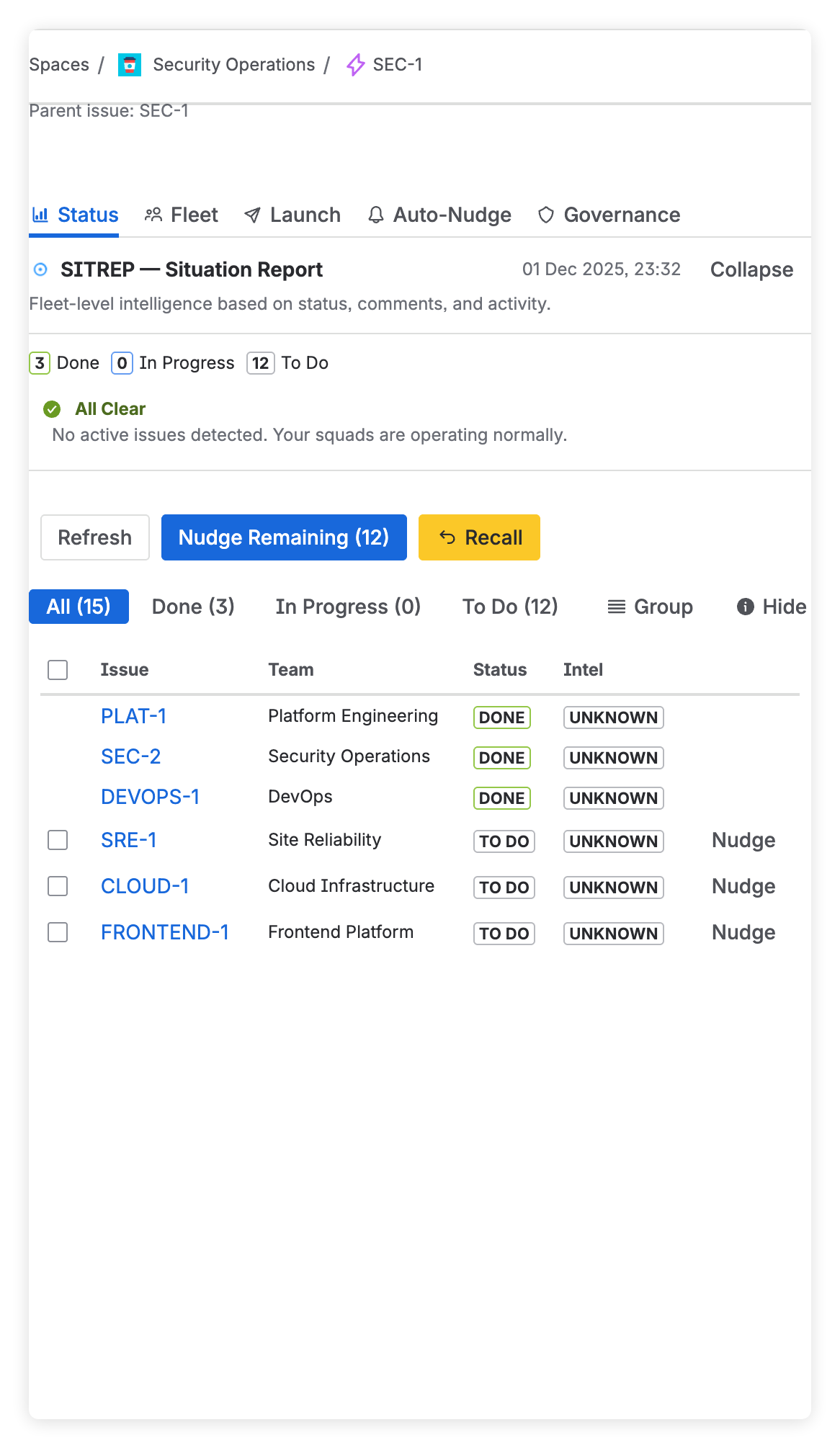
See every team at a glance
Completion across all team issues, synced from Jira, with a situation report (SITREP) of blocked, stale and at-risk work.
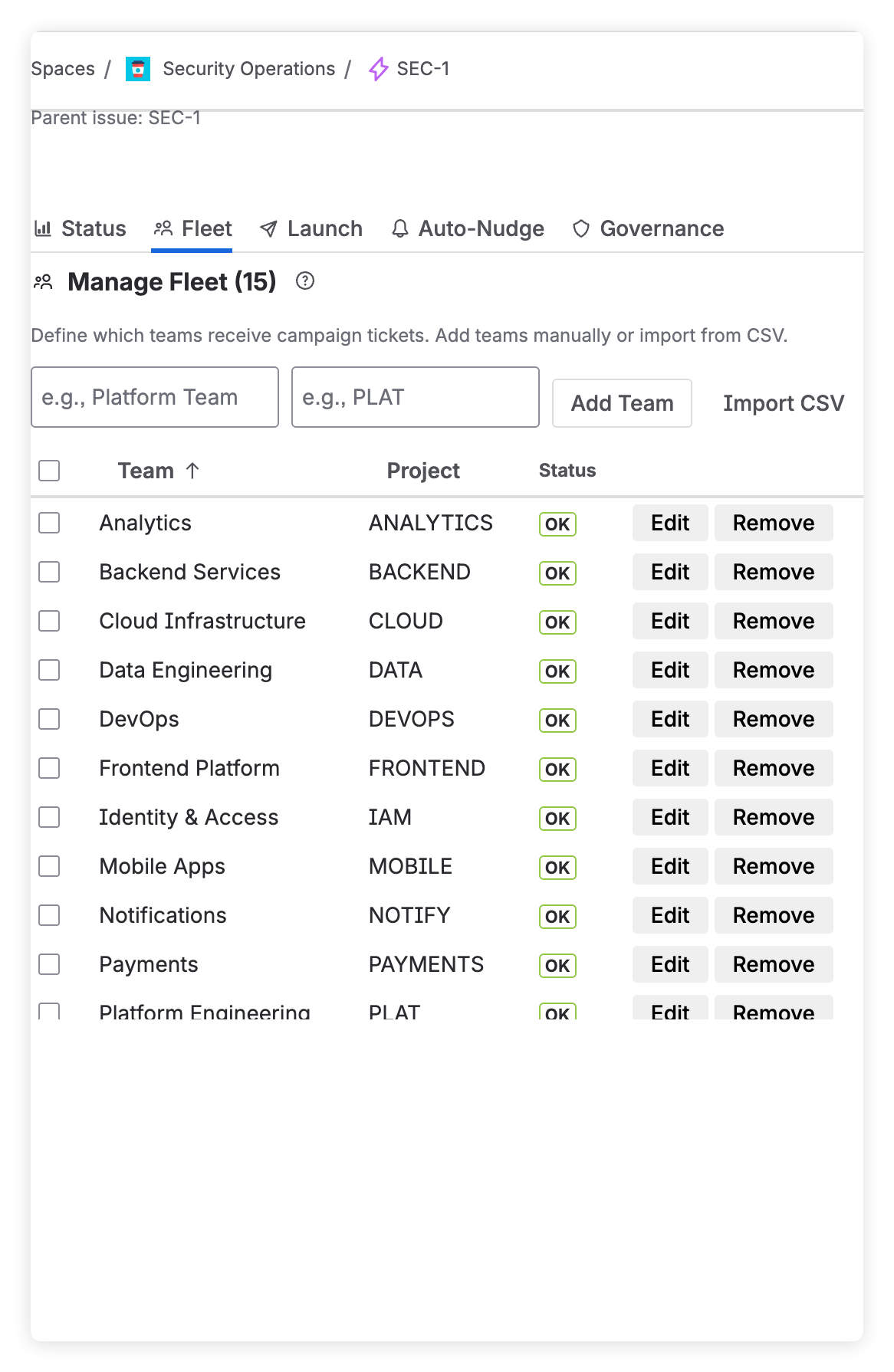
Teams defined once, reused everywhere
Your teams and their Jira projects, imported from CSV or added by hand. Health checks catch deleted projects, lost permissions and missing issue types.
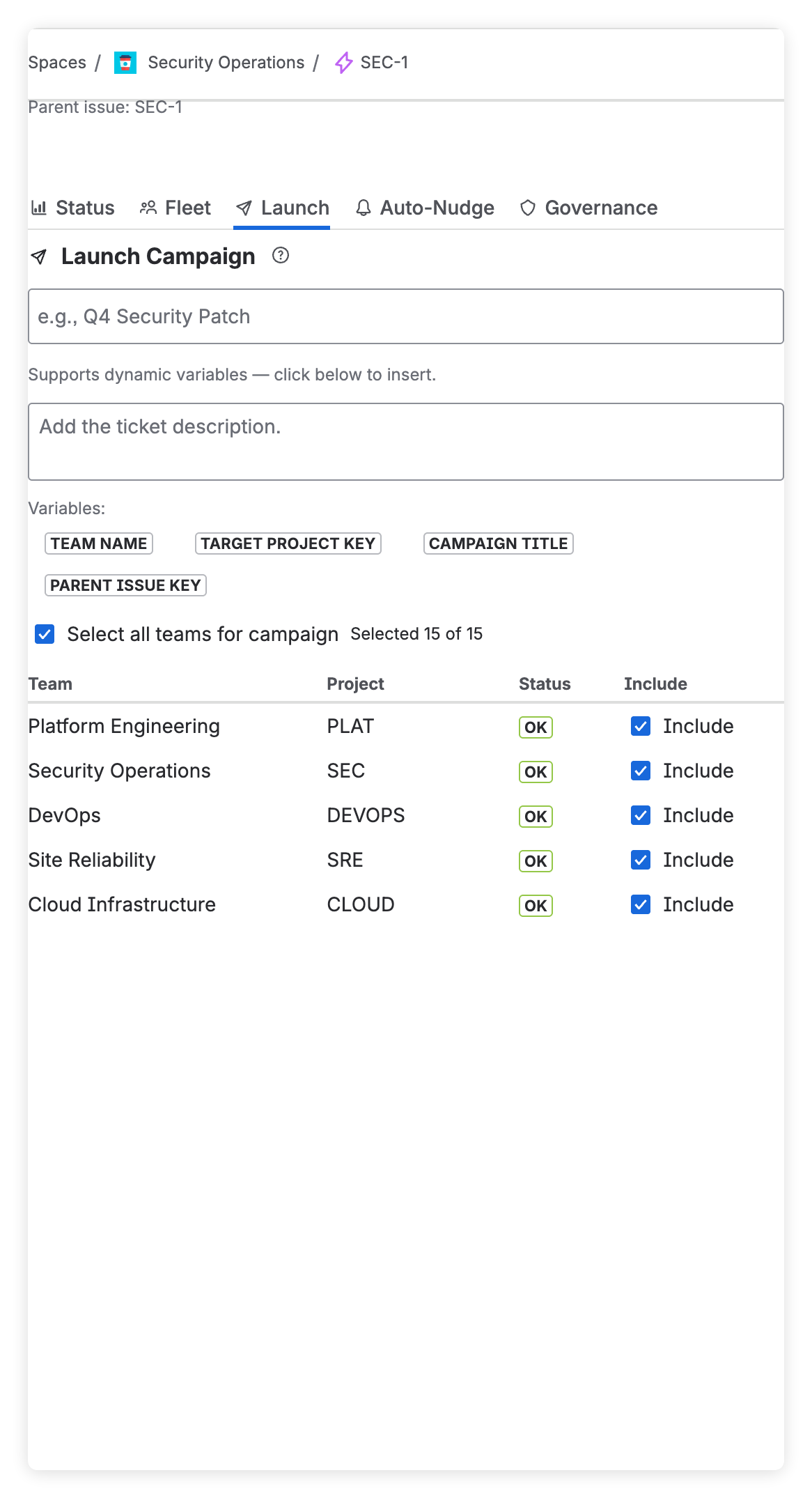
One launch, one issue per team
Creates sub-tasks, epic children or linked issues depending on each project, in batches that respect Jira rate limits. Templates let you reuse a past rollout.
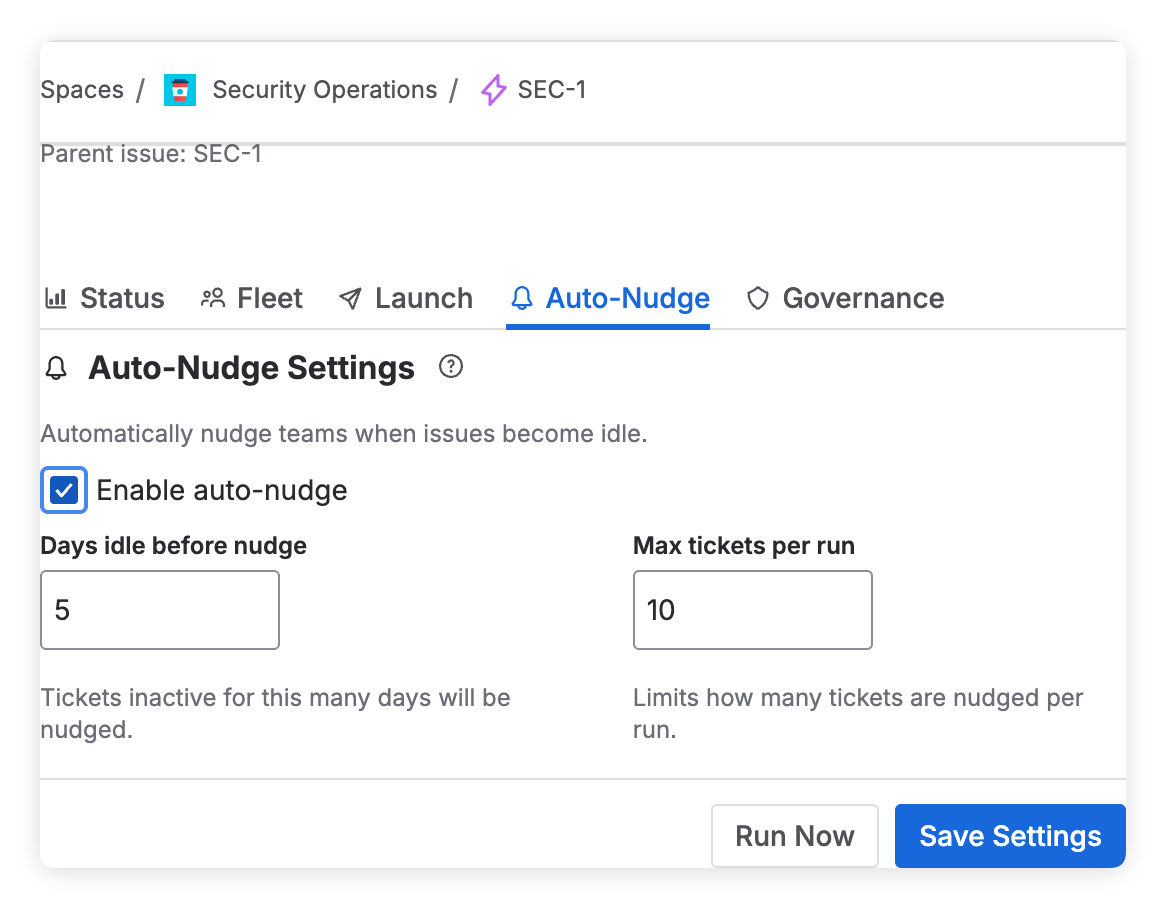
Reminders without the chasing
Set an idle threshold. Once a day, Armada comments on team issues that have gone quiet, so owners get a normal Jira notification.
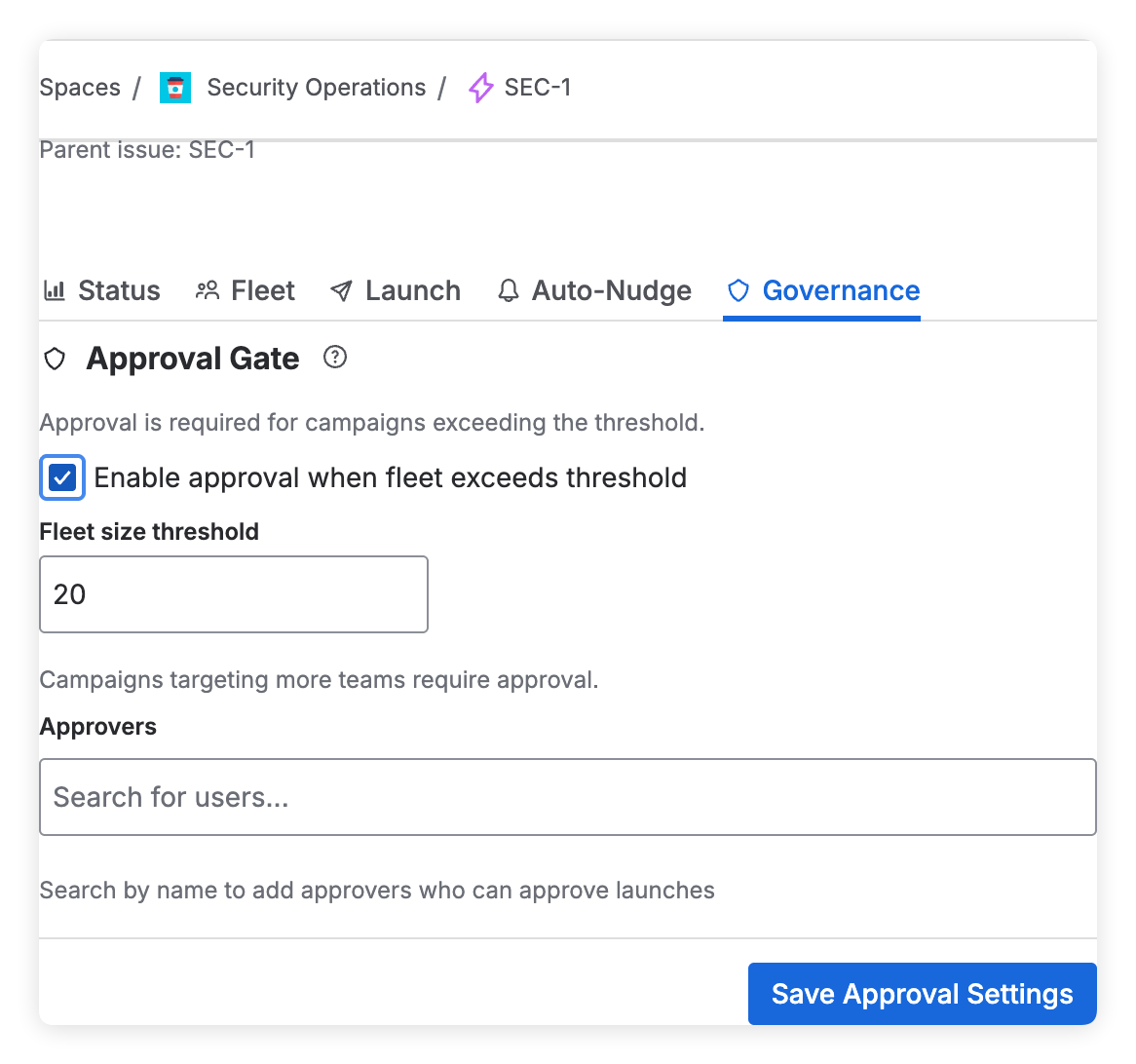
Approval before large launches
Hold launches above a team-count threshold until a named approver signs off. Every approval and cancellation is recorded.
The words you will see in the app
- Campaign
- One rollout, tracked from its parent Jira issue.
- Fleet
- The teams that take part, each mapped to its Jira project.
- Launch
- Creating every team's issue in one action.
- Mission Control
- The roll-up of every team issue on the parent.
- SITREP
- The situation report: blocked, stale and at-risk work.
- Recall
- Withdraw a launch by deleting, closing or unlinking its issues.
Jira stays your system of record.
Armada is built on Atlassian Forge and carries the Runs on Atlassian badge on the Marketplace. It runs no servers of its own and needs no separate account.
Visit the Trust Center- Forge storage. Campaign data is stored in Atlassian's Forge storage for your site.
- Normal Jira issues. Team work keeps its existing projects, workflows and permissions.
- Audit log.180-day retention, CSV export.
- Scoped access. Only the Jira and Compass permissions listed in the Trust Center.
- Five languages. English, German, French, Spanish and Japanese.
Per user, billed through Atlassian.
Free 30-day trial. Every tier includes every feature. See the Marketplace listing for current tiers.
Atlassian sets the price by user tier for your Jira site and bills it with your subscription. See the listing for current prices.
Start free trial- Unlimited campaigns
- Launch and tracking
- Auto-nudge reminders
- Approval workflows
- CSV fleet import
- Audit log with CSV export
- Atlassian Compass views
- Email support
Questions, answered.
Does Armada replace Jira projects or workflows?
No. Every team's work is a normal Jira issue in its existing project and workflow. Armada adds a coordination layer above those issues.
What kind of rollouts is it for?
Work that one owner needs many teams to complete: security remediation, platform migrations, dependency upgrades, compliance tasks and engineering standards.
Where is our data stored?
Armada is built on Atlassian Forge and carries the Runs on Atlassian badge. Its data is stored in Atlassian's Forge storage for your site, and it runs no external servers.
How many teams can one rollout include?
Armada is built for rollouts across dozens of teams. Issues are created in batches to stay within Jira rate limits.
Which Jira editions are supported?
Jira Cloud Standard, Premium and Enterprise. Jira Server and Data Center are not supported.
Can I try it first?
Yes. Install from the Atlassian Marketplace for a free 30-day trial.
Launch your first cross-team rollout from Jira.
Jira tracks the tickets. Armada tracks the rollout.